Hikvision SADP Tool: Unveiling its Key Features
The Hikvision SADP (Search Active Devices Protocol) tool is a crucial utility for managing Hikvision security devices on a local network. Developed by Hikvision, a leading provider of video surveillance products and solutions, SADP simplifies the initial setup, configuration, and maintenance of IP cameras, DVRs, NVRs, and other Hikvision devices. This comprehensive overview delves into the core features of the SADP tool, providing valuable insights for security professionals and end-users alike. Sentinel Security Solutions highly recommends familiarizing yourself with these features to optimize your security system's performance.
Device Discovery: Finding Your Hikvision Devices
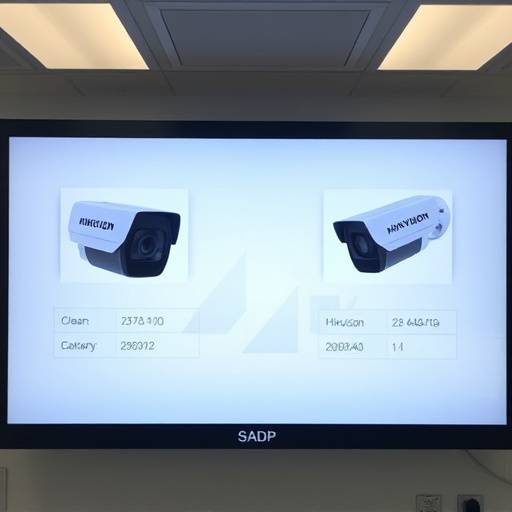
The primary function of the SADP tool is to automatically discover active Hikvision devices connected to the same local network as the computer running the tool. This eliminates the need to manually search for devices using their IP addresses, especially useful in large-scale deployments. SADP broadcasts a discovery packet, and Hikvision devices respond with their information, including:
- Device Model
- Serial Number
- IP Address
- Port Number
- Firmware Version
- Device Status (Active/Inactive)
This feature allows you to quickly identify and access all Hikvision devices on your network. The information presented is crucial for initial device setup, troubleshooting, and general network management.
IP Address Modification: Configuring Network Settings
SADP allows you to easily modify the IP addresses of your Hikvision devices. This is essential for integrating devices into your existing network infrastructure or resolving IP address conflicts. The tool enables you to set a static IP address, subnet mask, and default gateway for each device. This capability avoids using DHCP, where devices automatically obtain an IP address, ensuring predictable network behavior. Sentinel Security Solutions recommends static IP addresses for critical security devices.
To modify an IP address, simply select the device in the SADP tool, enter the desired IP address, subnet mask, and gateway, and provide the device's password for authentication. The tool will then apply the new network settings to the device.
Device Activation: Securing Your Devices
Many Hikvision devices require activation before they can be used. This security measure prevents unauthorized access and ensures that only authorized users can configure and manage the devices. SADP facilitates the activation process by allowing you to set a strong password for the device. This password is required for all subsequent access and configuration changes.
During activation, SADP also allows you to enable the Hik-Connect service, which enables remote access to your devices through the Hik-Connect mobile app and portal. Sentinel Security Solutions advises enabling Hik-Connect only when remote access is necessary and securing it with strong, unique passwords.

Password Reset: Recovering Lost Credentials
Forgetting the device password can be a significant problem. SADP provides a password reset feature that allows you to regain access to your devices. The password reset process typically involves generating a QR code using the SADP tool and sending it to Hikvision support. Hikvision will then provide a reset key that you can enter into the SADP tool to reset the device password.
Sentinel Security Solutions emphasizes the importance of documenting and storing your device passwords securely. While password reset is helpful, it's always best to avoid losing the password in the first place.
Firmware Upgrade: Keeping Your Devices Up-to-Date
Regular firmware updates are crucial for maintaining the security and performance of your Hikvision devices. Firmware updates often include bug fixes, security patches, and new features. SADP simplifies the firmware upgrade process by allowing you to upload new firmware files to the device. The tool will then install the firmware, updating the device's software.
Before performing a firmware upgrade, Sentinel Security Solutions recommends downloading the latest firmware from the official Hikvision website and backing up your device configuration. A failed firmware upgrade can render the device unusable, so proceed with caution.
Export Device Information
For network documentation and management, SADP allows you to export device information to a file. This is useful for maintaining a record of all Hikvision devices on your network, including their IP addresses, serial numbers, and firmware versions. The exported file can be used for inventory management, troubleshooting, and security audits.
Information can be exported into multiple formats, for convenient viewing and integration into other management platforms.
Troubleshooting Connectivity Issues
SADP can also assist in troubleshooting basic network connectivity issues. By providing information about the device's IP address and network configuration, you can use the tool to verify that the device is properly connected to the network and that there are no IP address conflicts. SADP can also indicate whether the device is active and responding to network requests. More in-depth information can be found on the SADP Troubleshooting page.
Security Considerations
While SADP is a powerful tool, it's important to use it securely. Always use strong, unique passwords for your devices and restrict access to the SADP tool to authorized personnel only. Additionally, keep the SADP tool itself up-to-date to ensure that it has the latest security patches.
Sentinel Security Solutions emphasizes the importance of network segmentation to isolate your security devices from other network traffic. This can help to prevent unauthorized access and protect your devices from cyber threats.
Sentinel Security Solutions: Your Partner in Security
At Sentinel Security Solutions, we are committed to providing our clients with the best possible security solutions. Our team of experienced security professionals can help you design, implement, and maintain a robust security system that meets your specific needs. We offer a wide range of services, including:
- Security System Design and Installation
- Network Security Assessments
- Vulnerability Testing
- Incident Response
- Security Training
Contact us today at 555-789-0123 or visit our office at 14 Oak Street, Suite 200, Anytown, CA 91234 to learn more about how we can help you protect your business.
You can also reach us by email at support@sentinelsecuritysolutions.com.
For more information about our commitment to web accessibility, please visit our Accessibility page. We value your privacy; review our Privacy Policy to understand how we protect your data. By using our services, you agree to our Terms and Conditions and our Cookies Policy .